Now in closed beta for iPhone
CatalogTracker. Know what you own, track by track.
Split sheets generated from a catalogue that already holds the names and the codes — sent for confirmation, and confirmed in a browser with nothing to install.
One email to confirm, then an invitation to the TestFlight build. It needs iOS 26.4 or later. Your address is used for nothing else.
01Walkthrough
-
01Catalogue 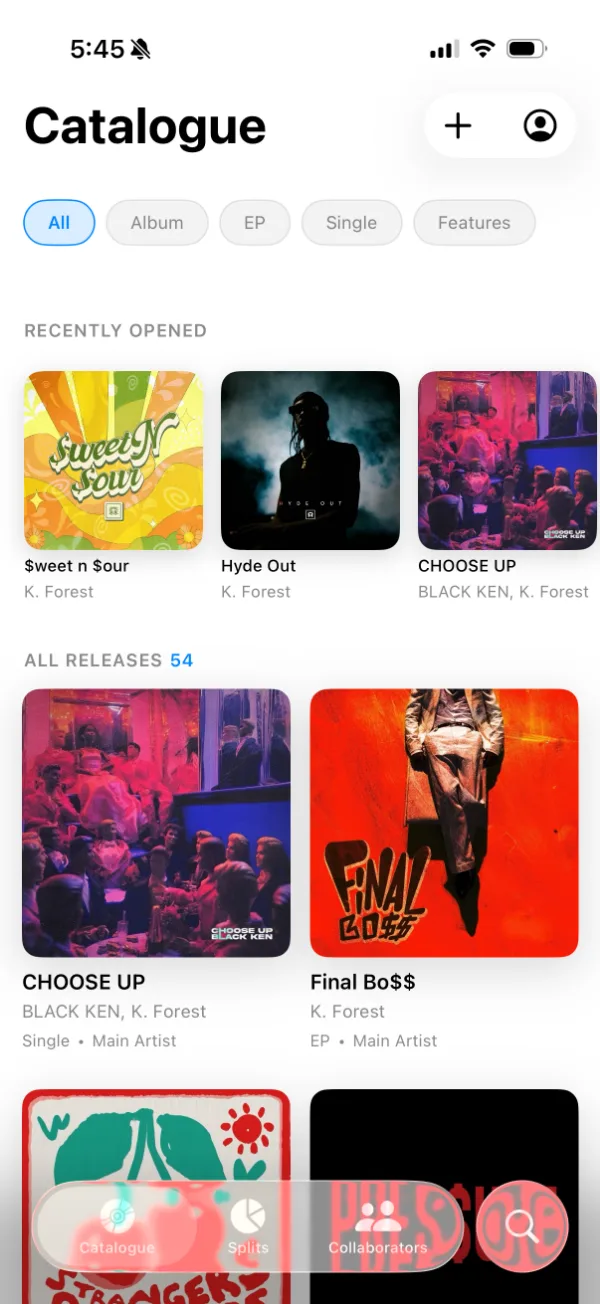
-
02Release 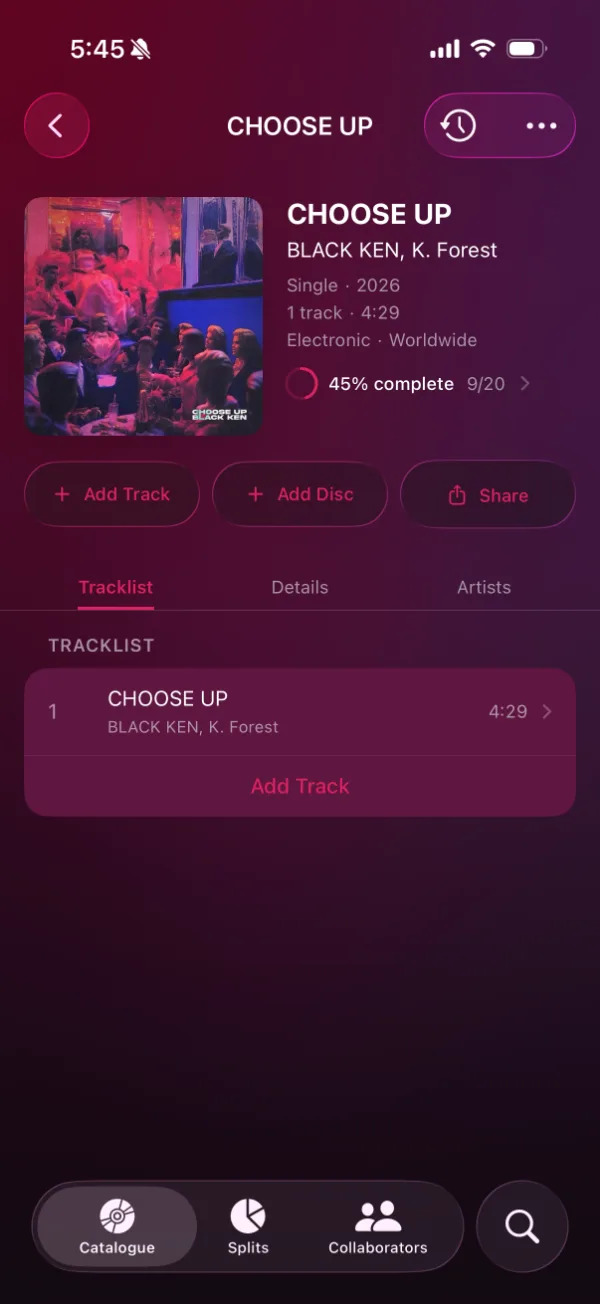
-
03Track metadata 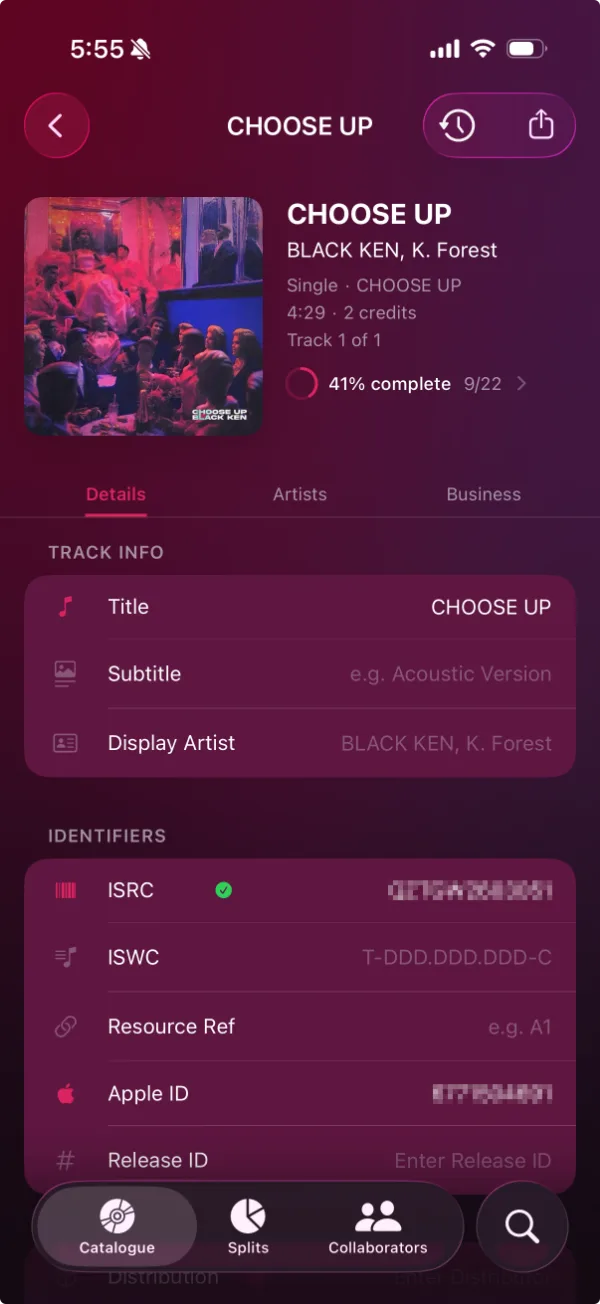
-
04Ownership splits 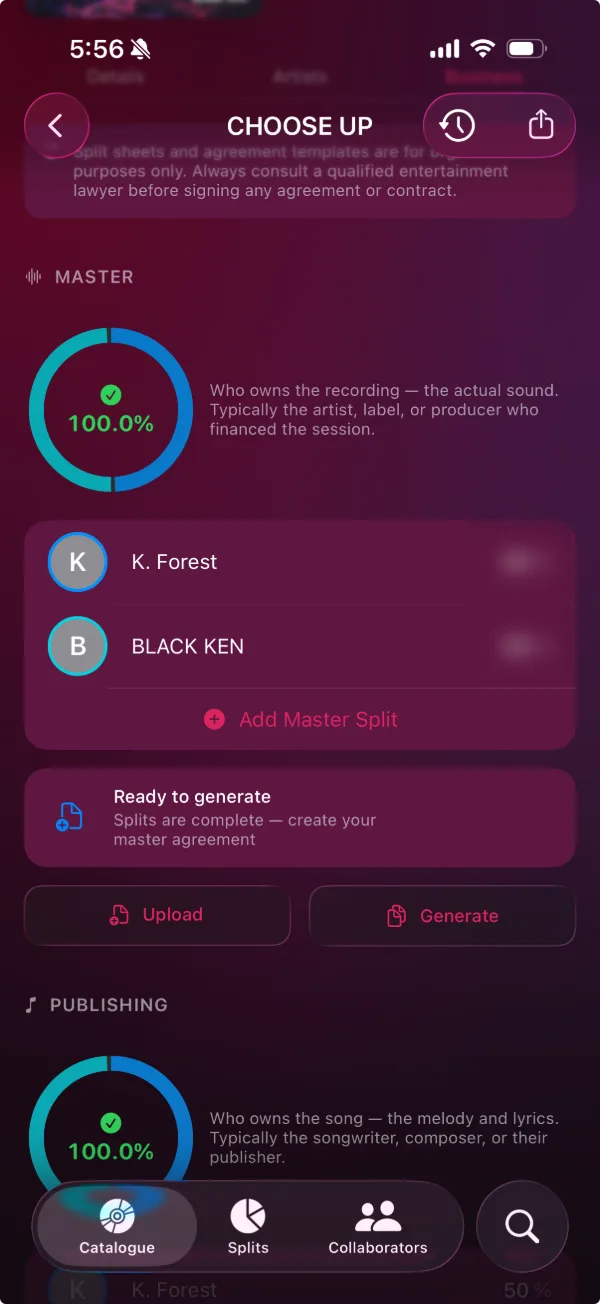
-
05Agreement setup 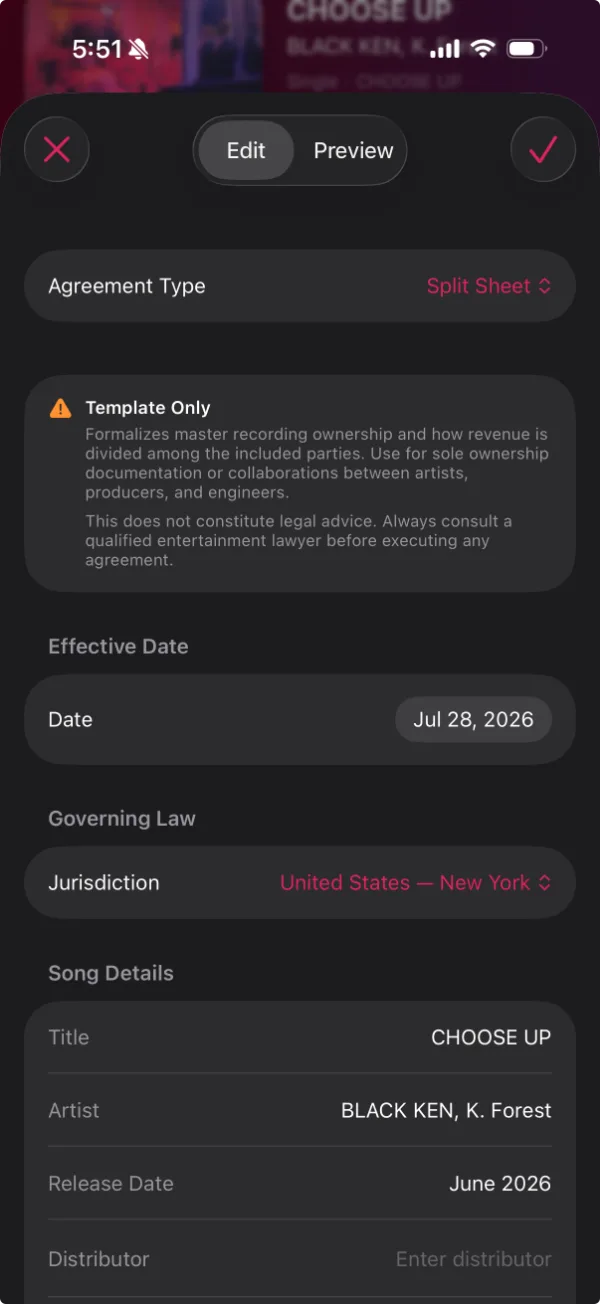
-
06Parties and terms 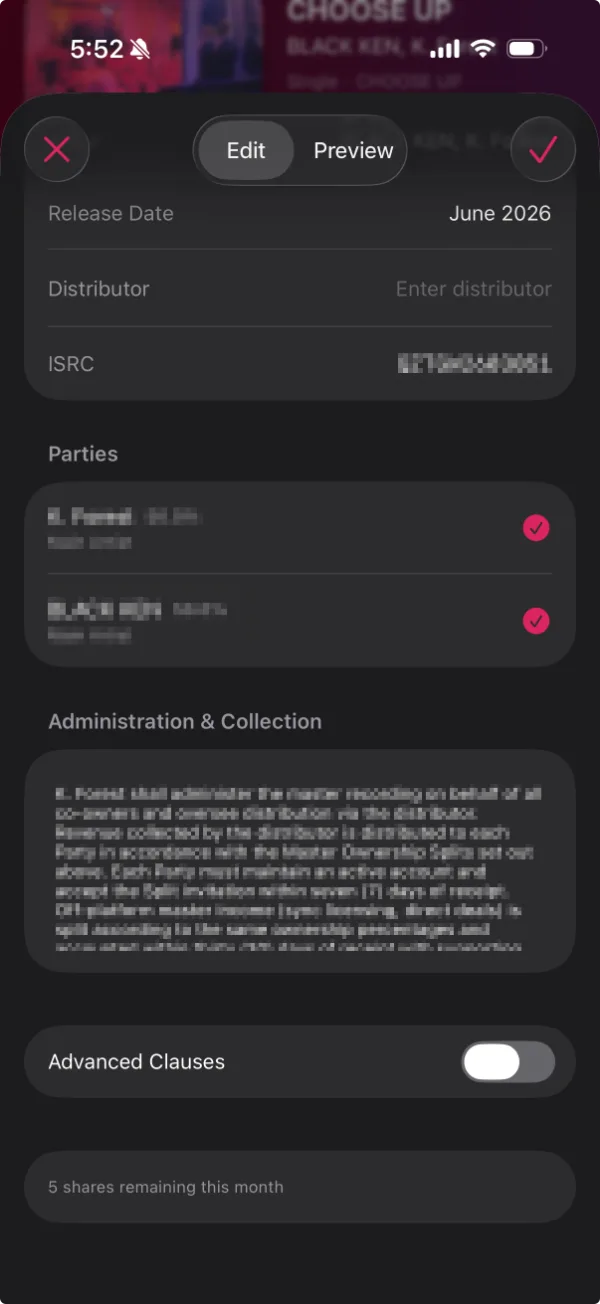
-
07Generated split sheet 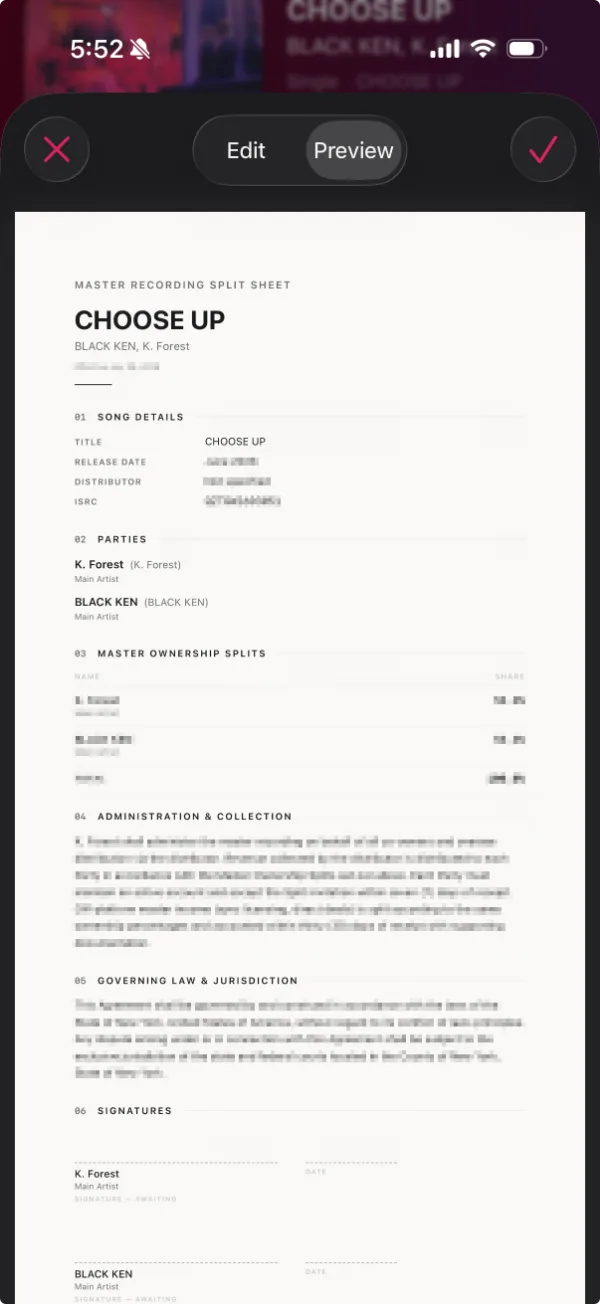
02What it does
A split sheet generated from what is already recorded — the parties, the terms, the governing law, and somewhere to sign — rather than typed out again from memory.
Sent from the app for confirmation, and confirmed in a browser. The person agreeing installs nothing and makes no account.
Master and publishing splits kept apart, per track, each summing to its own 100 — and visibly incomplete until it does.
The catalogue underneath it, so the names and the codes are already there — every release with its artwork, its artists and its type, a completeness meter on each, and identifiers down to ISRC, ISWC, UPC, GRid, ISNI and IPI.
03Questions
How does a collaborator confirm a split?
You send it from the app and they get an email with a link. They can accept or decline in a browser — nothing to install, no account to make — and that is recorded as a web confirmation. If they already have CatalogTracker they can respond in the app instead, where it is a receipt signed by their device's Secure Enclave rather than a web response. Neither one executes the agreement itself — that is still print-and-sign.
Does CatalogTracker sign the split sheet?
No. It generates the document and records who confirmed which split; signing is print-and-sign. A collaborator's confirmation is a receipt signed by the Secure Enclave on their own device, which proves that device was present — and the app is explicit that device presence is not proof of identity.
What does CatalogTracker cost?
Nothing. The catalogue, the imports, the generated PDFs, the exports and the on-device backups are unlimited and free, and the only limit anywhere in the product is five split-sheet shares a month. There is no purchase of any kind in the app today.
Which jurisdictions do the generated agreements cover?
Four options: United States — New York, United States — Delaware, Canada — Ontario, and Other. The choice sets the governing-law clause, the statutory-rate reference and the paper size. There is no United Kingdom, European or Australian option, and every generated document is a template rather than legal advice.
Where is my catalogue stored?
On your own device. CatalogTracker is local-first, and this company's servers never hold your catalogue. The only thing that leaves is a split you choose to share, which carries that track, its identifiers, the parties, their percentages and their roles — never the rest of the catalogue. Everything except sharing and importing works with no network at all.
Can I import a catalogue I already have?
Yes, by artist name, Apple Music URL or a streaming link. The app reads the iTunes Search API, MusicBrainz and Credits.fm, and can enrich from Apple Music behind the system permission prompt. A deep import is deliberately unhurried, because MusicBrainz is throttled to one request a second — and when a match fails the app says so rather than reporting a clean success.
What does the closed beta mean for the documents it generates?
Every PDF a beta account generates carries BETA — NOT A VALID DOCUMENT across each page. It is set on the server, it cannot be switched off from inside the app, and it is there because a split sheet from an unfinished product should never be able to pass for a finished one.